


Start with the problem: what keeps you up at night
Folks, the hard truth is simple: you bought a truck, not a data problem — and yet the GPS boxes keep shovin’ one on you. Too many fleets struggle with inaccurate location data, surprise downtime, and drivers who don’t use the tech the way management expects. If you’re workin’ in logistics fleet management, those headaches show up as late deliveries, rising fuel bills, and messy compliance records. This checklist tackles each pain point head-on, without fluff.
Define what “solved” looks like for your operation
Know the outcome before you buy. Ask clear, measurable questions:- Do you need live tracking every 30 seconds or 1-minute pings to save bandwidth?- Is geofence reporting essential for billing or customer proof-of-delivery?- Which KPIs will you monitor first: on-time percentage, idle minutes, route deviation?Write answers down. If you can’t state the target in plain words, the vendor will sell you buzzwords instead of results.
Pre-purchase checks: don’t sign until these are clear
Vendors sell features; you need guarantees. Check these before any purchase:- Hardware specs: power source, IP rating, cellular bands supported, and warranty length.- Data ownership: who owns location records and for how long are they retained?- Integration capability: does the tracker provide standard APIs, telematics protocols (like MQTT or HTTPS), or only proprietary portals?- Compliance needs: can the system produce auditable logs for Hours-of-Service or regional tachograph rules?Ask for a short proof-of-concept on one vehicle before fleet-wide rollout.
Installation and systems integration: the real work begins
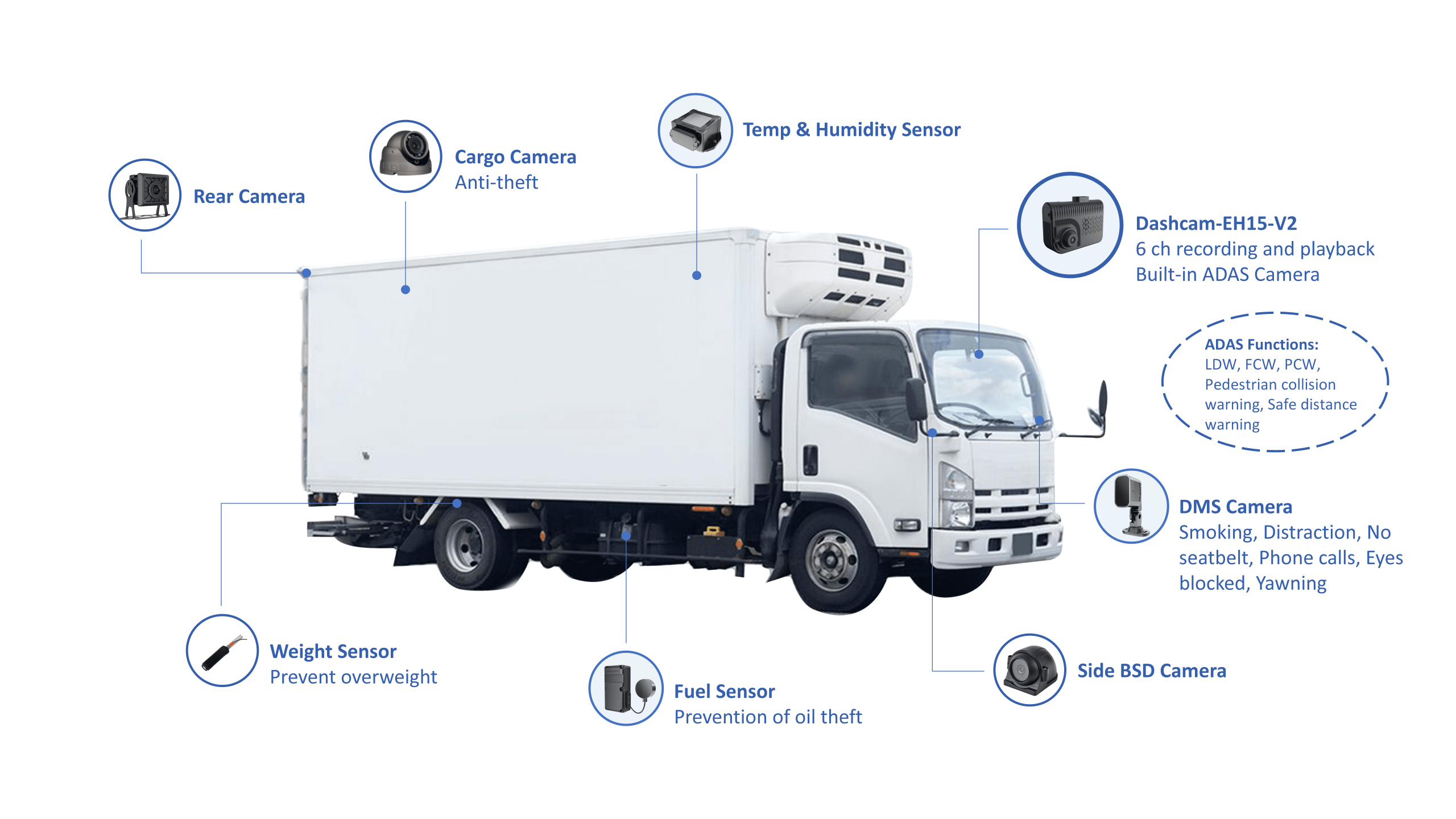
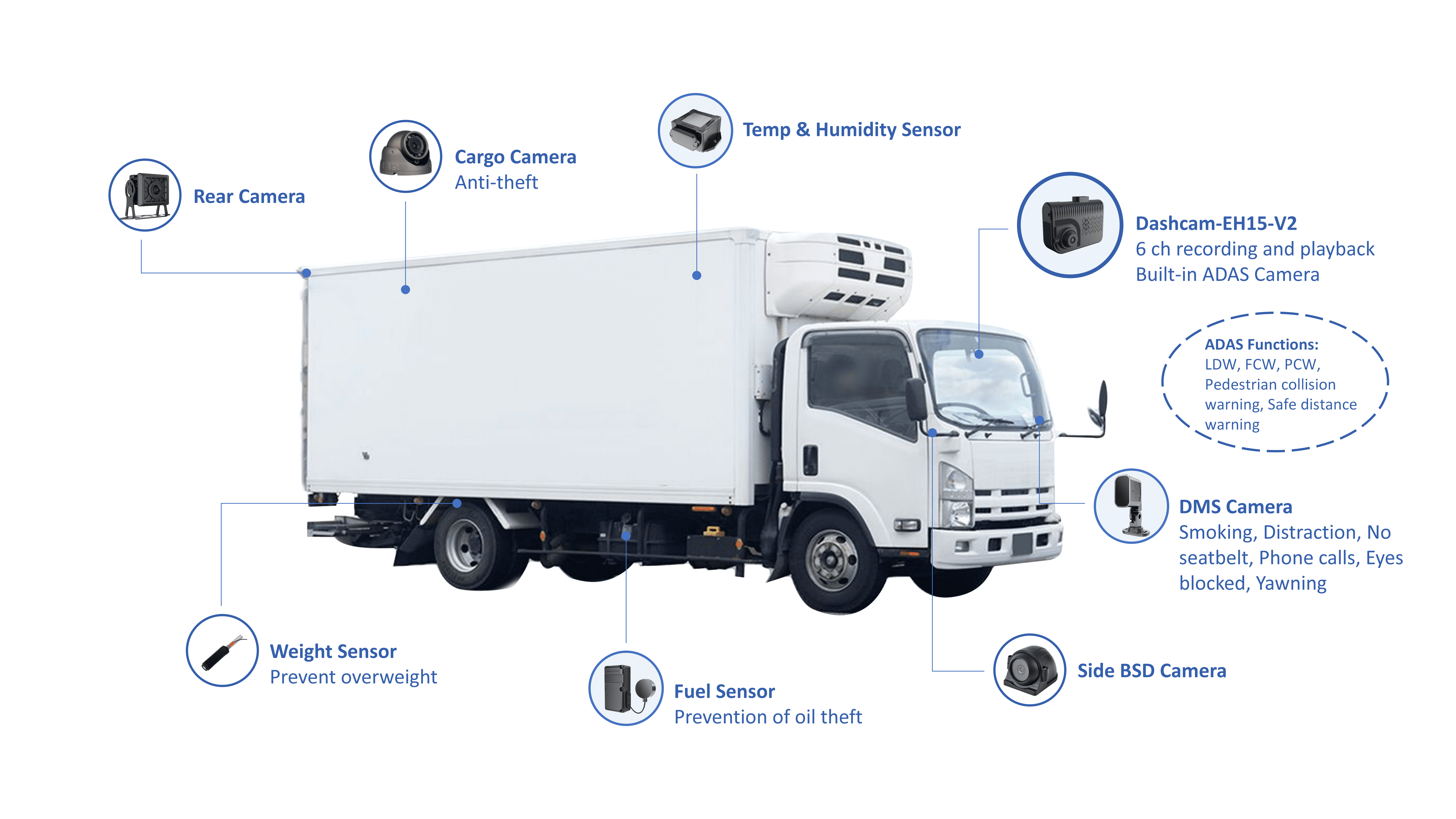
Bad installs make good hardware look useless. Follow these steps:- Map wiring and power behavior first; avoid tapping into accessories that lose power when ignition’s off.- Verify GPS antenna placement; metal and cargo can block satellites.- Test cellular signal at your worst routes — places like the Port of Los Angeles show how urban can choke comms.- Integrate with dispatch, maintenance, and payroll systems using the tracker’s documented APIs. Small mismatches mean big manual work later.This is where your IT and operations folks gotta talk plain to each other, and where proper field testing saves months of grief. For broader system design hints, those building complex solutions for logistics and fleet management will tell you integration tests are non-negotiable.
Driver onboarding and daily use: people matter most
Technology only helps if drivers use it right. Do this:- Run a one-hour hands-on session with each driver group; cover normal use plus the “what if” scenarios.- Publish two simple rules: how to report false readings, and the escalation path for a device fault.- Replace “install and forget” with a 30-day check-in to fix bad habits.Incentives beat mandates. When drivers see fewer route reworks and less paperwork, they use the gear the right way.
Operational monitoring and maintenance checklist
Trackers need upkeep. Keep this routine:- Daily: confirm device heartbeat on a random sample of vehicles.- Weekly: review alerts for low battery, tamper, and long idle events.- Monthly: reconcile route data against dispatch logs for accuracy drift.- Quarterly: swap a small sample of devices for firmware updates and test new firmware on a few vehicles before mass rollout.Record every service event. Traceability avoids blame games when delivery windows slip.
Data practices and cost control
Location data gets expensive fast. Control costs and keep data useful:- Set adaptive reporting: high frequency during trips, low when parked.- Cull raw granular data older than needed; keep summarized metrics for trend analysis.- Encrypt data at rest and in transit; limit export rights to defined roles.- Price out cellular plans for roaming if you cross borders.Don’t let carrier billing surprise you; review usage statements monthly and automate alerts for spikes.
Common pitfalls folks keep falling into
A short list from real implementations:- Picking a product on price alone and learning too late it lacks a usable API.- Forgetting to map out edge cases like battery disconnects or trailer swaps.- Overlooking cellular dead zones during peak operation times.- Expecting one-size-fits-all reporting; every terminal and customer wants different proofs.Fix these early and you’ll save both time and trust with customers and drivers.
How to validate success after rollout
Measure outcomes, not features. Track these for 90 days:- Reduction in average route deviation minutes.- Drop in idle time per active vehicle.- Percentage of successful telematics-driven service reminders versus reactive repairs.- Driver-reported device issues versus those logged automatically.If these move in the right direction, your system’s paying its keep.
Final word
You can’t paper over bad processes with better hardware. Start with problems, pick clear targets, test on a slice of the fleet, and keep drivers and maintenance folks in the conversation. When a solution fits those rules, it behaves like a tool that actually helps you run the yard instead of creating more paperwork, and partners like BSJ end up being the kind of provider that matches practical needs with solid tech. If you follow this problem-first checklist, you’ll stop chasin’ data and start usin’ it to make smarter decisions on the road.